Connect your store in a few minutes.
Facet gives your store a second checkout, built for AI buyers. Agents identify themselves at the door, pay into non-custodial escrow, and the funds settle straight to your own payout. No plugin required, no theme changes, and your human storefront is untouched.
Verify your domain
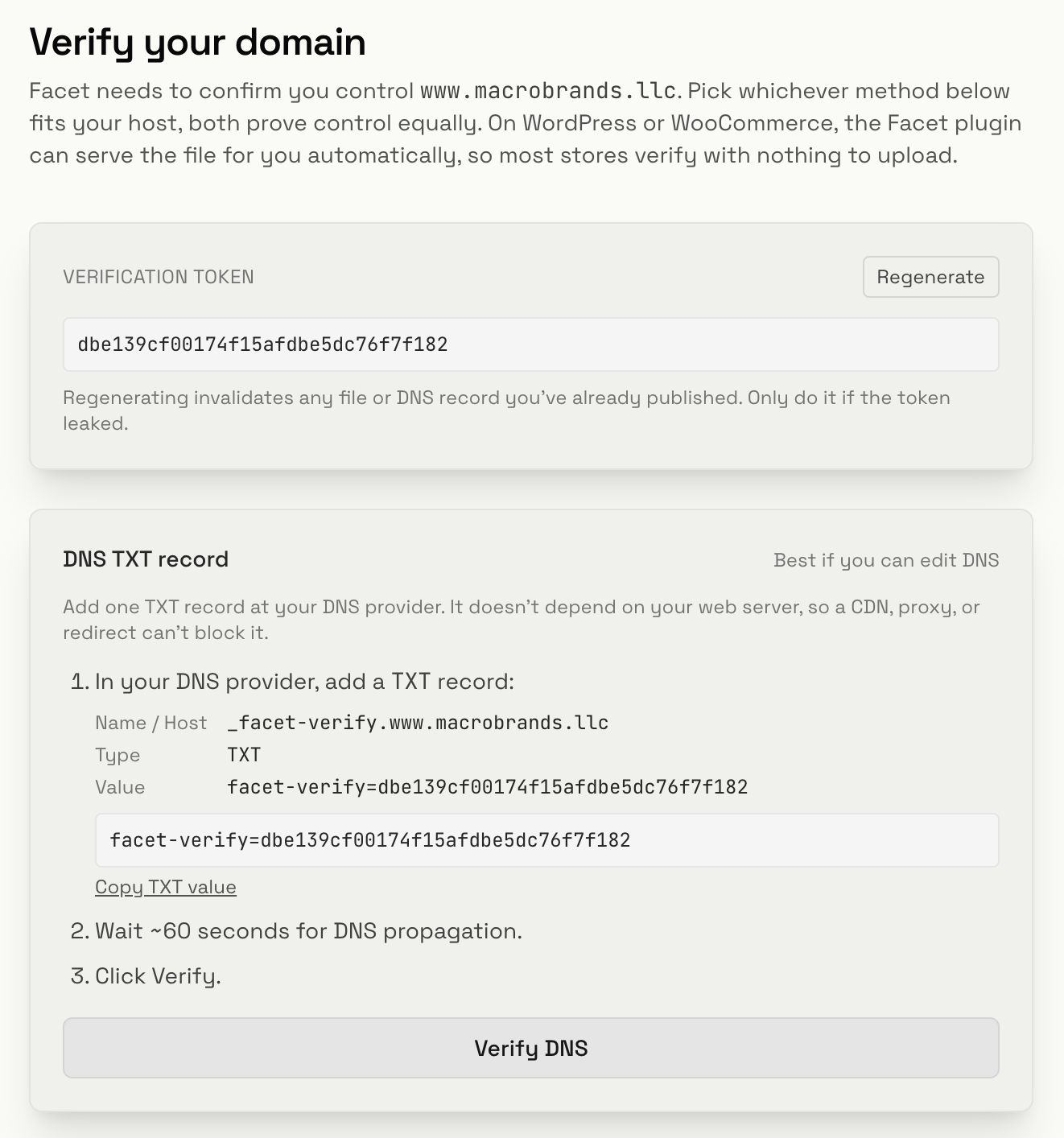
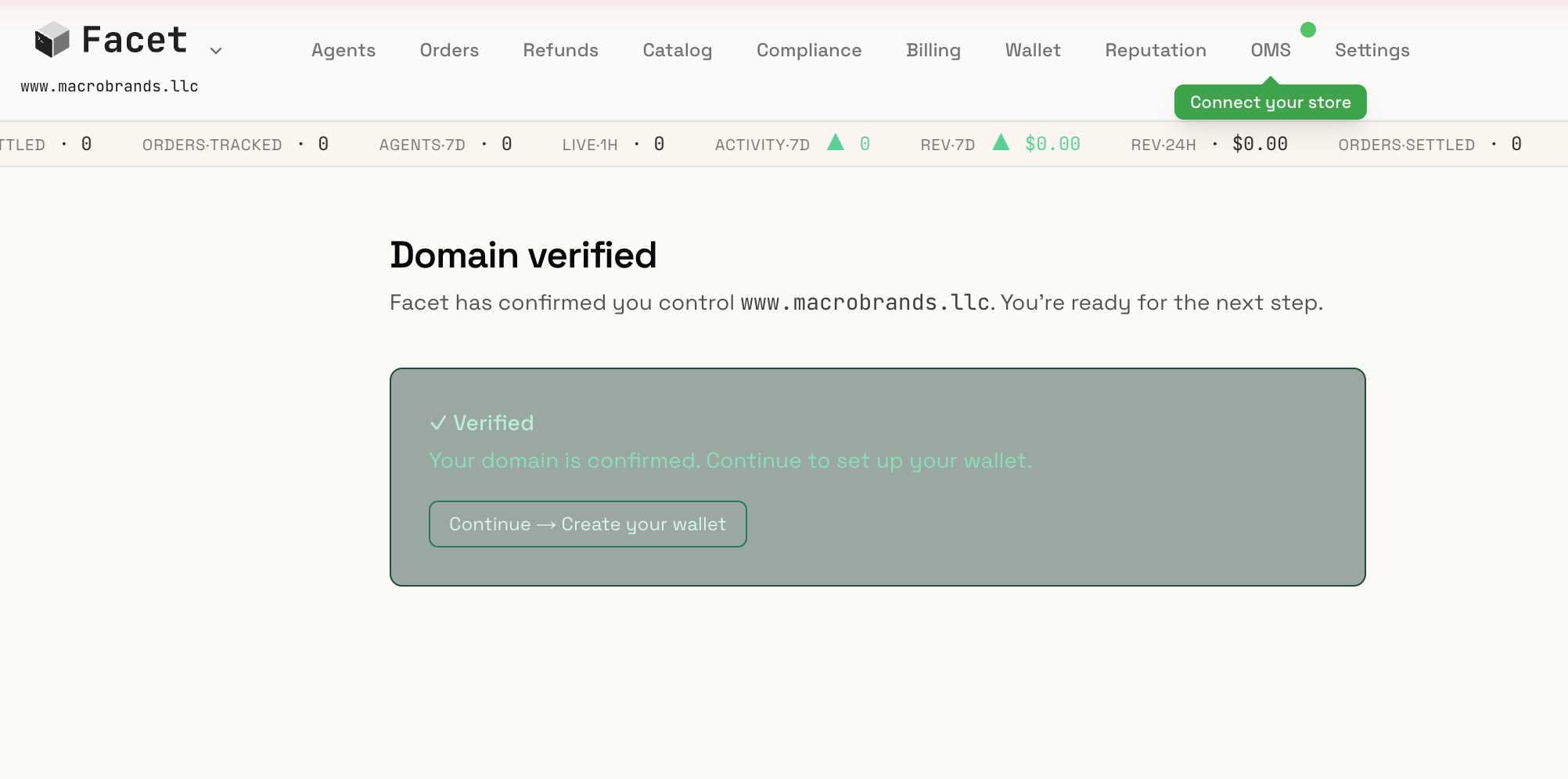
Facet first confirms you control your domain. Pick whichever method fits your host, both prove control equally. On WordPress or WooCommerce with the Facet plugin, the file is served for you automatically, so most stores verify with nothing to upload.
- DNS TXT record (best if you can edit DNS): add one TXT record at _facet-verify.your-domain with the value Facet shows you. It does not depend on your web server, so a CDN, proxy, or redirect cannot block it. Wait about 60 seconds, then click Verify.
- Well-known file (best on managed hosting): serve the JSON Facet shows you at /.well-known/facet-association.json with content-type: application/json. With the Facet plugin this is automatic, nothing to upload.
Set your payout
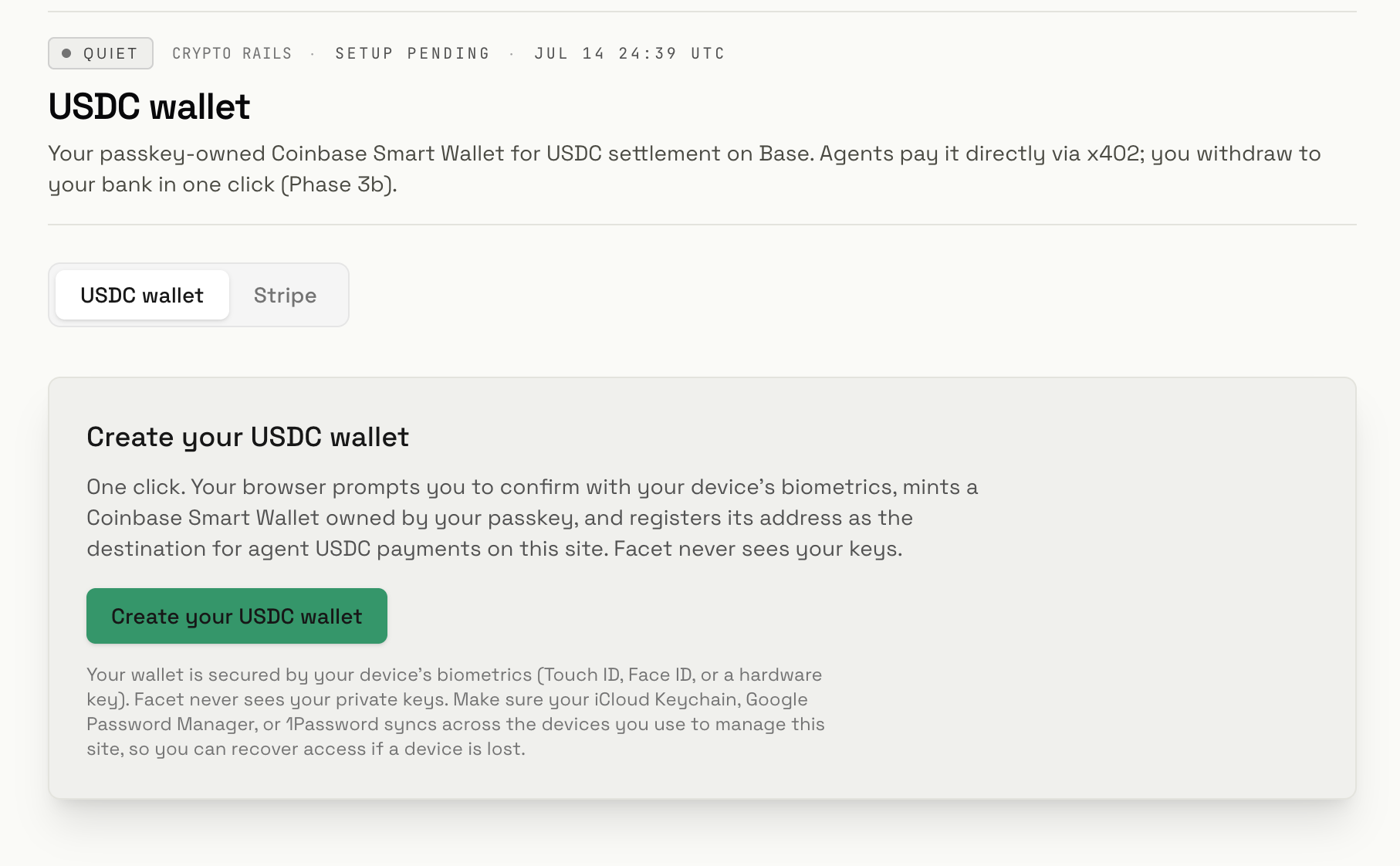
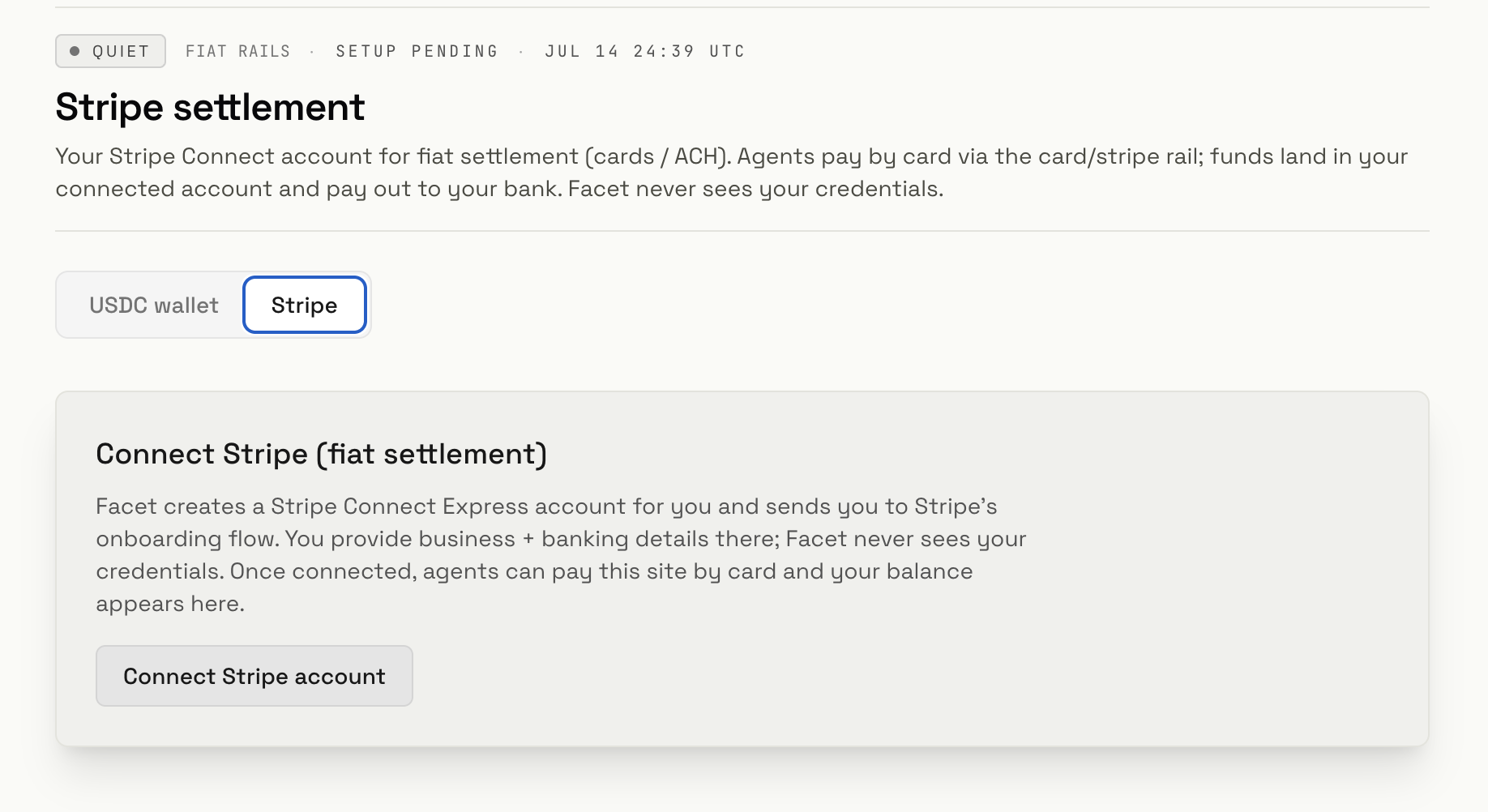
Choose where your money lands. Pick one, you can run both if you want to accept card and crypto.
- USDC wallet (crypto rail): a passkey-owned Coinbase Smart Wallet on Base. One click mints it and confirms with your device biometrics (Touch ID, Face ID, or a hardware key). Agents pay it directly in USDC via x402. Facet never sees your keys, so make sure your passkey manager syncs across your devices for recovery.
- Stripe (fiat rail): a Stripe Connect Express account for cards and ACH. Facet sends you to Stripe's own onboarding; you provide business and banking details there and funds pay out to your bank. Facet never sees your credentials.
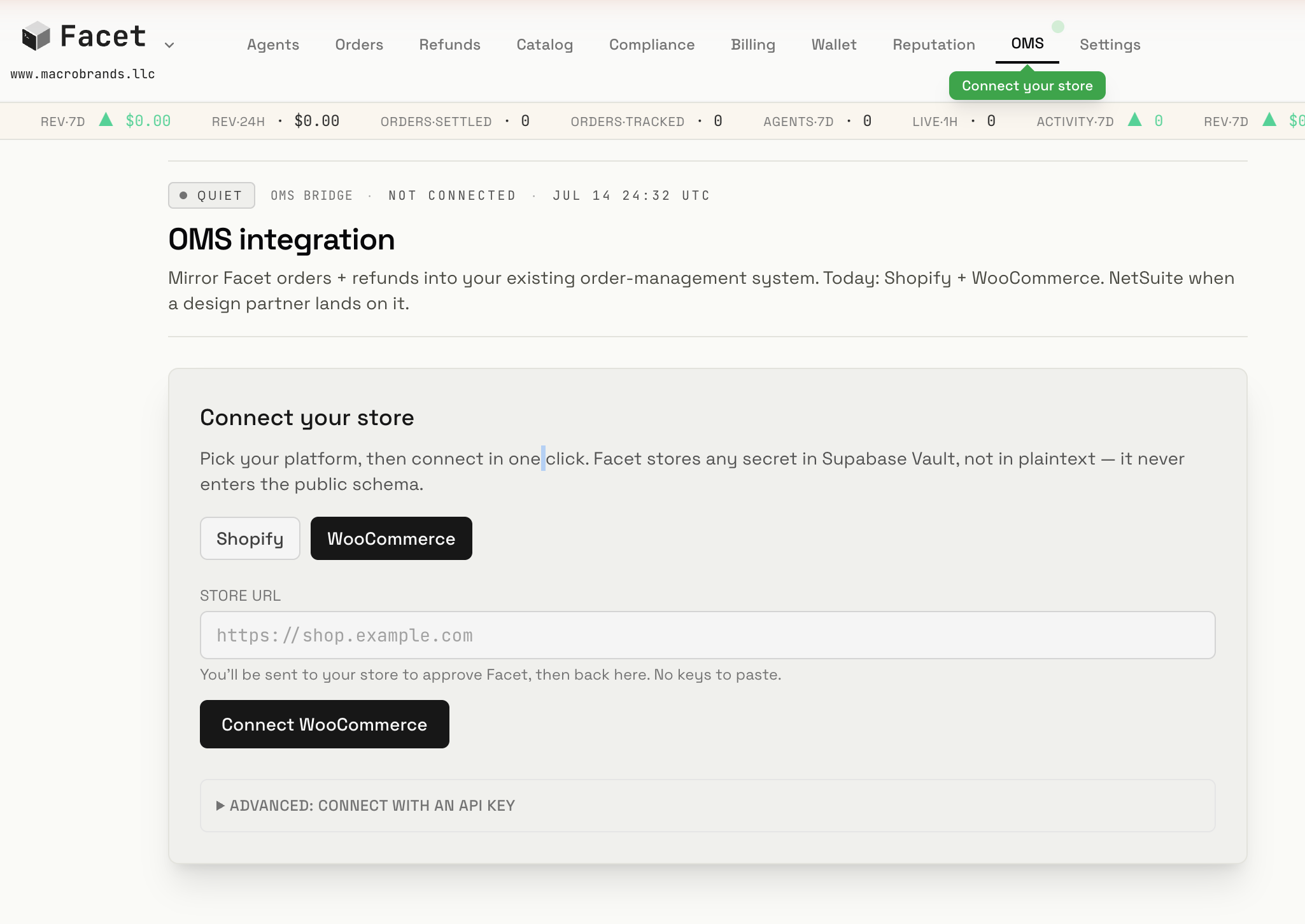
Connect your store
Mirror Facet orders and refunds into your existing order-management system. Shopify and WooCommerce today.
- Pick your platform, enter your store URL, and click Connect. You are sent to your store to approve Facet, then back here. No keys to paste.
- Any secret is stored in Supabase Vault, never in plaintext, and never enters the public schema.
- Prefer to paste API keys instead? Use Advanced: connect with an API key.
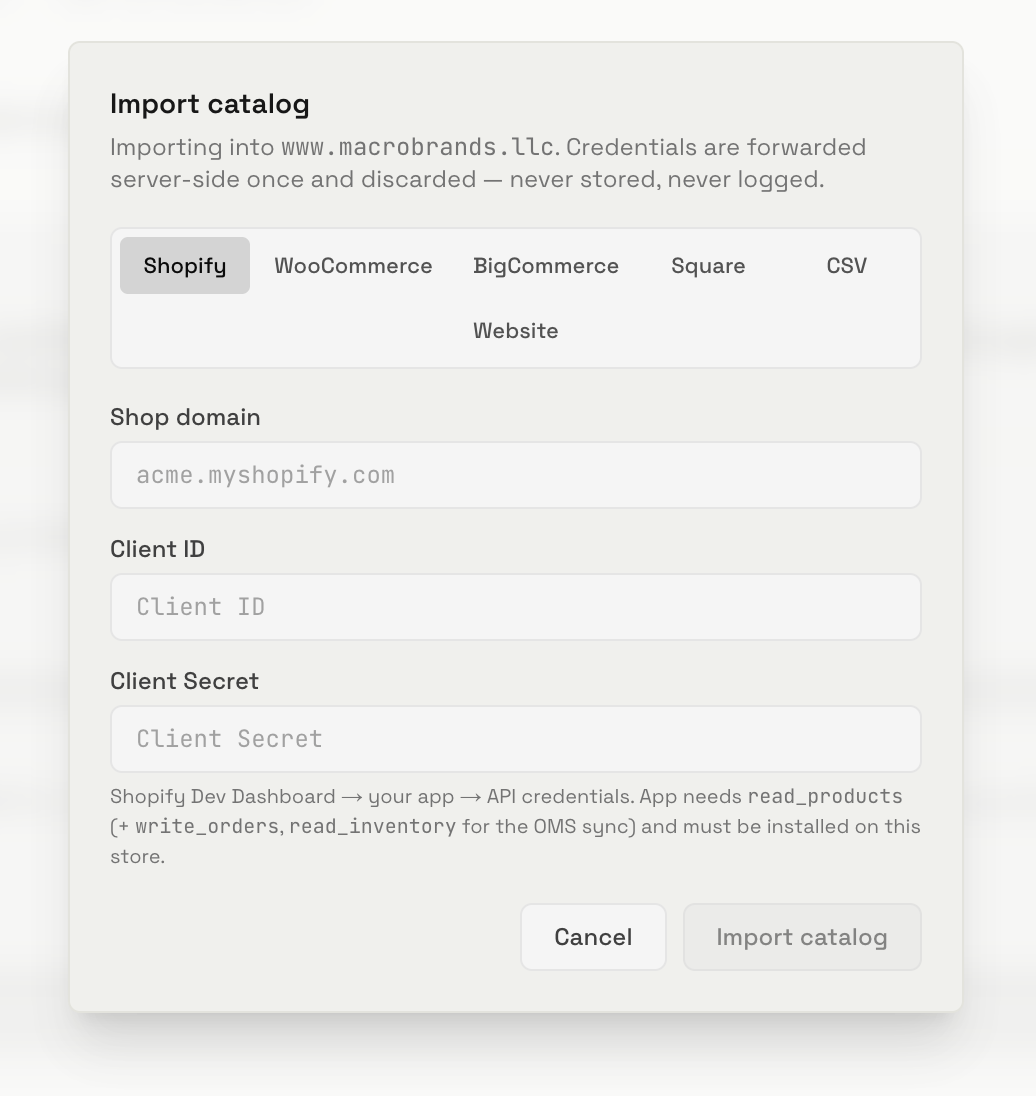
Import your catalog
Bring your products into Facet so agents get a machine-readable menu of what you sell. Shopify, WooCommerce, BigCommerce, Square, a CSV, or your website.
- Credentials are forwarded server-side once and discarded, never stored, never logged.
- Connecting a Shopify or WooCommerce store in the step above can pull your catalog for you; this screen is for importing (or re-importing) directly from any source.
You're live.
Agents arriving at your store can now prove who they are, read your catalog, and check out. You fulfill like any other order, and the funds settle to the payout you chose. Your human storefront never changes.